


)
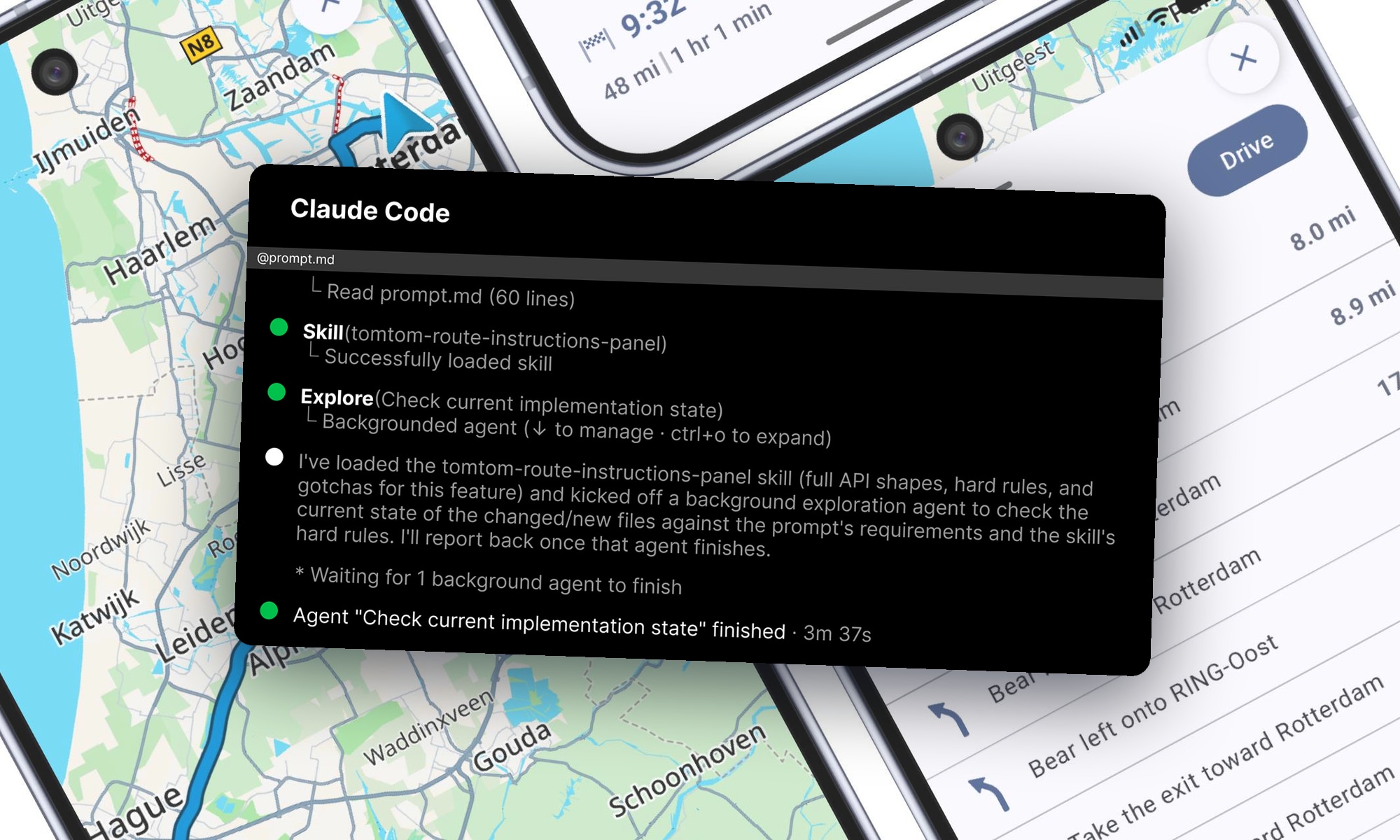
A case study in building a Route Instructions Panel using the TomTom Maps and Navigation SDK for Android and Claude Code.
It assumes basic familiarity with Claude Code. If you're new to this, start with Anthropic's Claude Code documentation.
Extending someone else's example app can be frustrating. You clone it, spend hours tracing through the code to understand its undocumented conventions, learn how it works and only then can you start to add your own feature and extend the app.
We wanted to find out just how hard it is and how much work it takes to add a feature to the TomTom Android example app when an AI coding agent takes care of the implementation (you can find the example app here: link). So, we had Claude Code build a feature of our own, capturing each pitfall it hit in a skill file as it went.
To make this experiment repeatable, we've published the prompt, CLAUDE.md and the skill in this repo. We ran it with Jesse Vincent's Claude Code Superpowers plugin, which adds a set of workflow skills on top of Claude Code. All artifacts are pinned to the exact app commit and SDK version used during development.
The case study
The feature we're trying to add is a Route Instructions Panel — a draggable bottom sheet in the app's route preview screen that lists every maneuver required on the planned route. Tap one, and the map camera flies to the location where that maneuver is required and drops a pin. To build it the coding agent must: read route data from the SDK, map each instruction to an icon and a natural-language phrase and build a custom Compose bottom sheet to contain and display it all.
We started with a hand-written prompt.md and a generated CLAUDE.md. We refined the prompt over a couple of iterations to clarify the scope and expected output, then let Claude Code take an initial pass at the implementation. We didn't get a green build at the first run and it took multiple passes to get to it. After each pass, we tested the feature manually — dragging the sheet, tapping maneuvers in the list, rotating the device, exiting and re-entering route preview.
Since we wanted to make the experiment repeatable, we instructed the coding agent to keep the learnings and pitfalls in a skill. The skill we built accumulated what cost us time ranging from compile and lint errors to runtime issues. For instance, type-shape surprises in the SDK, experimental Compose APIs that compile and then crash, empty lines in the list of maneuvers. Those are further detailed below.
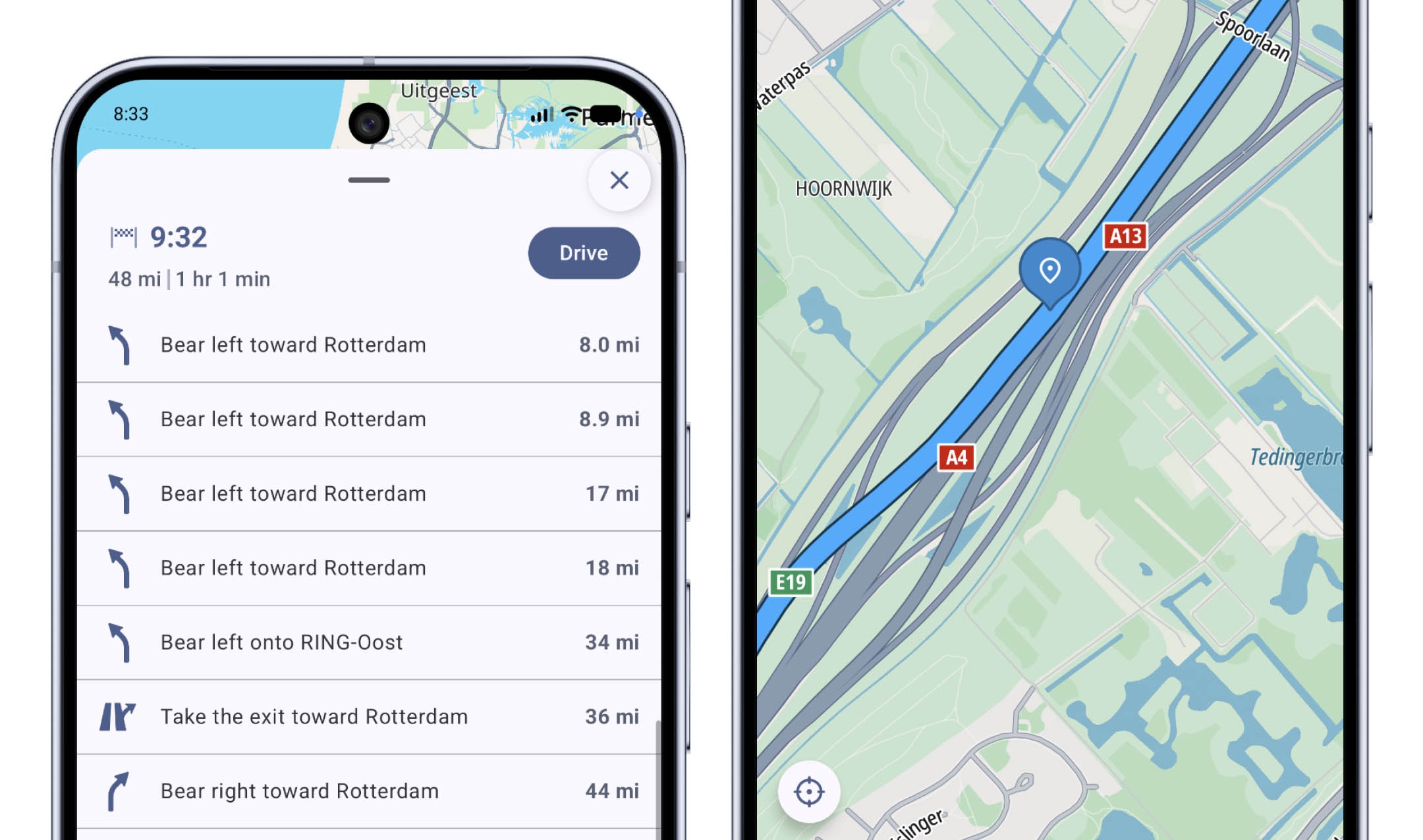 Route Instructions Panel expanded to full-screen mode, displaying every maneuver on the selected route. Selecting a maneuver centers the map on its location and displays a marker.
The SDK integration - Obtaining the instructions on the route and mapping
What the AI changed: the Route Instructions Panel reads four properties from each instruction and maps nine of the routing layer's Instruction subtypes — departures, turns, forks, merges, roundabouts, highway exits, tollgates, arrivals — to an icon and a natural-language phrase.
What went smoothly: retrieving the data from the SDK route object.
route.legs.flatMap { it.instructions }             // every maneuver on the route
instruction.maneuverPoint                          // GeoPoint, for the camera fly-to
instruction.routeOffset                            // cumulative distance from route start
instruction.nextSignificantRoad?.name?.plainText   // the road name for the label
instruction.signpost?.towardName?.plainText        // the toward text, when there's no road name
That's almost the entire data model for the panel: a Route, its legs, their instructions. The maneuver type isn't part of that model, it comes from the instruction's subtype. Turning each subtype into an icon and phrase took more code — a dedicated mapping file — but none of it was hard, every subtype's fields are well-typed and no guesswork was required. The nine Instruction subtypes aren't arbitrary either: the panel reuses the app's existing ManeuverType enum and icons, so it covers exactly the maneuvers the guidance screen already handled. The remaining subtypes fall back to a neutral icon and a generic phrase.
What was harder: a few pitfalls did trace back to the SDK, mostly type-shape surprises. Routing's Road.name comes back as TextWithPhonetics?, not String?. A couple of routing types live in packages that aren't where you'd expect: one instruction subtype's package doesn't match its class name, and a supporting data type sits outside the instruction package it's used alongside. Straightforward once identified, and each is now a row in the skill's Gotchas table.
The UI changes - Introducing a Compose bottom sheet
What the AI changed: every scenario in the app pairs a state holder with its Compose UI, and all mutable state lives in one shared MapScreenViewModel. The panel added three new files to the existing routepreview package and rewrote that package's UI file into a custom drag-to-expand, nested-scroll bottom sheet, replacing the bottom panel that was there before. The rest threaded through the app's shared integration points: the instruction list as a new StateFlow on MapScreenViewModel, one new field on MapScreenUiState for the tapped instruction, that instruction's map pin rendered in MapViewComponents, and the wiring between them in ScenarioHoldersFactory. The only change outside application/map was two dozen new string resources for the panel's labels and content descriptions — per project convention, every user-visible string lives in strings.xml, nothing hardcoded in Kotlin.
That convention holds for the literals but not for the grammar: the panel assembles each label by slotting a road name into a format wrapper (route_instruction_onto is "%1$s onto %2$s"), which bakes English word order in. Production code would need whole sentences per maneuver, or ICU message formats, as well as the translations which are not included in the example app. This wasn't relevant to what we were testing here, so we stopped at this point.
What went smoothly: most of the wiring. A lint rule catching an unused string resource, a visibility modifier widened from private to internal to reuse the guidance screen's maneuver-icon mapping, safe-area insets, z-ordering for the floating buttons the sheet covers — ordinary Android hygiene, no SDK or Compose instability involved.
What was harder: the heaviest cluster of friction traced to one corner of Compose. To build the drag-to-expand bottom sheet, Claude Code reached for AnchoredDraggableState and anchoredDraggable — still gated behind @OptIn(ExperimentalFoundationApi::class). Most of the harder pitfalls surfaced there, including one that only shows up at runtime: settle(velocity) compiles clean with just a deprecation warning, then crashes the moment a fling triggers it, part of the churn Android's own migration guide documents. The sheet ends up carrying a Material3 experimental opt-in as well, for its drag handle, and the nearest stable-ish alternative, Material3's BottomSheetScaffold, still doesn't give the same partial-width collapse and nested-scroll hand-off without extra work. So we kept the experimental API anyway.
Those pitfalls are what the skill's Gotchas table now carries: the safe settle overload and the renamed anchor accessors. It also captures the general lesson: check an experimental API's shape against the pinned dependency version before writing code, rather than trusting a documentation snippet. This is why a later session doesn't rediscover the crash.
While we had to drive Claude Code, most of our interventions wouldn't be needed today: Claude Code can iterate on build and lint output unattended and CLAUDE.md already asks it to record each new pitfall in the skill before the session ends. The device testing, which is where the crash and the icon-less rows surfaced, needed us only because we added no instrumented tests for this exercise. With UI tests or screenshot verification in place, the loop closes without us.
Conclusion
The Route Instructions Panel was a useful test case because most of the work wasn't SDK integration, it was fitting a new feature into the example app's already existing architecture, state flows, Compose UI and interactions — the part of extending someone else's app that takes hours. What made a new iteration quicker wasn't a better prompt, it was the accumulated skill.
The learnings from this case study have also been input to how we're shaping accelerating your app development with AI. Stay tuned.
Try it yourself
The prompt, CLAUDE.md, and skill are at todo-repo-url — clone that repo and follow its README to install them into your own clone of the example app.
Our run used the Superpowers plugin, so your experience may differ on a standard Claude Code setup.
You'll also need a TomTom API key in gradle.properties before the app builds — free from my.tomtom.com, under Maps and Navigation SDK for Android.
Once it's installed, open the repo in Claude Code and feed it the prompt.
Expect Claude Code to work through the skill's hard-rules checklist as it goes — its own instruction is to track each rule as a to-do item and confirm it before ending the session, as close as this workflow gets to a review gate.
Compare what you get against the case study: where it matches, where the SDK or Compose has since moved on, and what additional lessons or pitfalls you encounter during your own session.
Let us know how you get on, we're interested to hear what you discover.
For more information, refer to:
People also read
)
Build a full navigation experience in minutes with TomTom NavSDK
)
Introducing Agent Toolkit in TomTom Maps SDK for JavaScript
)
Mapmaking in the AI age: How TomTom builds maps you can trust
)
Maps to models: Evolving towards an agentic world
* Required field. By submitting your contact details to TomTom, you agree that we can contact you about marketing offers, newsletters, or to invite you to webinars and events. We could further personalize the content that you receive via cookies. You can unsubscribe at any time by the link included in our emails. Review our privacy policy.